
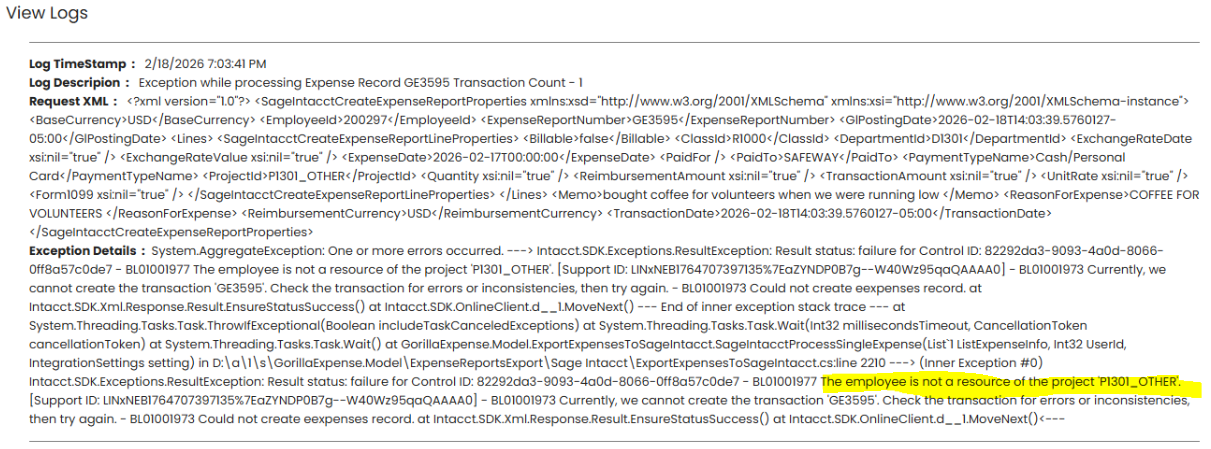
While pushing expense reports to Sage Intacct to Time & Expense screen, you may get the error shown below.
Resolution
The error “The employee is not a resource of the project” appears because the employee has not been assigned as a resource to the selected project " ". In Sage Intacct Time & Expense, only employees listed under a project’s Resources tab can enter time or expenses against that project.
To resolve this error, login into your Sage Inacct environment
- Navigate to Projects and open the project for which you are getting this error.
- Go to the Resources & Billing tab.
- Click Add and select the employee who needs access.
- Save the project.
Once you are done, please try exporting the report again.